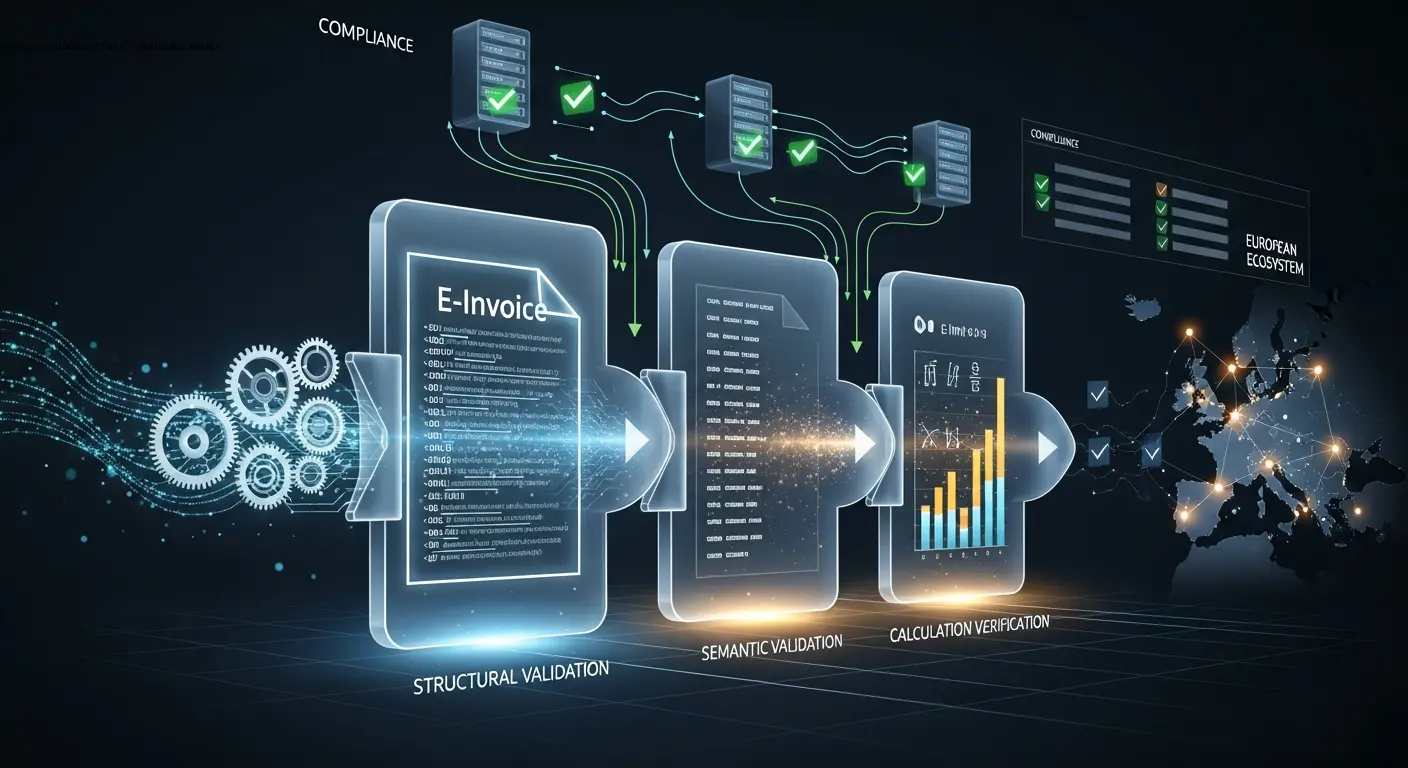
Practical e-invoice validator Guide for Compliance Teams
Validating E-Invoices for EN 16931: A Practical Guide for Compliance Teams
Estimated reading time: 12 minutes
Key takeaways
- An e-invoice validator checks XML invoice files (UBL, CII, XRechnung, ZUGFeRD) against the EN 16931 semantic data model and national CIUS rules.
- Validation covers three levels: specification, invoice document, and implementation—each testing different compliance aspects.
- Checks include structural validation (XML schema), semantic checks (mandatory fields, code lists), and calculation verification (line amounts, VAT totals).
- Modern validators output categorized errors, warnings, and precise XML element references to help teams correct invoices quickly.
- Integration matters: API connectivity with ERP and invoicing software lets validation act as a seamless compliance gate.
Table of contents
- Understanding What an E-Invoice Validator Actually Does
- The Three Compliance Levels Every Validator Must Address
- How Validators Check Structure, Semantics, and Calculations
- Supporting Multiple Formats: UBL, CII, XRechnung, ZUGFeRD, and Peppol
- Building Validation into Your Invoice Workflow
- Free Validators, Commercial Services, and DIY Options
- Practical Tips for Compliance Teams Managing E-Invoice Validation
- Why Modern Invoice Creation Tools Include Built-in Validation
- Frequently Asked Questions
Understanding What an E-Invoice Validator Actually Does

An e-invoice validator is essentially a rules engine that examines electronic invoice files to confirm they meet EN 16931 requirements. Think of it as a quality gate that checks structure, content, and calculations before an invoice enters the wider European e-invoicing ecosystem. The validator reads XML files—whether UBL, UN/CEFACT CII, XRechnung, or the XML component of ZUGFeRD hybrid PDF invoices—and runs hundreds of automated tests against them.
The core job involves three main validation types. First, structural validation confirms the XML is well-formed and matches the correct schema (XSD). A malformed XML file will fail immediately, saving time compared to manual review. Second, semantic validation checks that all mandatory business fields are present and use the correct values from allowed code lists (ISO currency codes, VAT category codes, payment means codes). Third, calculation checks verify that line amounts, tax subtotals, and invoice totals add up correctly according to EN 16931 arithmetic rules.
In my experience working with compliance teams across Europe, the biggest value of an automated validator comes from catching inconsistencies that humans easily miss. Last year I saw a case were a major supplier sent 200 invoices with VAT exemption codes but forgot to include the required exemption reason text—manual review had missed it entirely, but the validator flagged every single invoice immediately.
Most validation services today offer both web-based file upload tools and API integration. The web validator is useful for spot-checking individual invoices or testing format changes, while API integration lets you validate invoices automatically within your ERP or billing software before they're ever sent. This prevents embarrassing rejections and payment delays downstream.
The output typically includes error messages (blocking issues that prevent processing), warnings (deviations from best practice that may still be accepted), and information notes. A good en16931 checker points you to the exact XML element that failed and cites the specific rule number from EN 16931 or the relevant CIUS specification, which makes fixing problems much faster for your technical team.
The Three Compliance Levels Every Validator Must Address

EN 16931 defines three distinct levels of compliance within the broader EU compliance framework, and a complete e-invoice validator needs to check all three. Understanding these levels helps you evaluate whether a validation tool or service is genuinely comprehensive or only scratching the surface.
Specification level (Spezifikationsebene)
Specification level applies to national or sector-specific profiles built on top of EN 16931. Countries and business communities create Core Invoice Usage Specifications (CIUS) that add mandatory fields or restrict optional elements—XRechnung in Germany, Peppol BIS Billing 3.0 across many European countries, and various national formats like Factur-X in France. At this level, the validator checks that the CIUS itself is a proper subset of the EN 16931 core model and doesn't contradict any core rules. This matters less for invoice senders and more for profile designers, but validators still need to recognize which profile an invoice claims to follow.
Invoice document level (Dokumentebene)
Invoice document level is where most practical validation happens. Each individual electronic invoice must contain all mandatory information elements, use the correct structure and syntax, respect allowed value lists, and pass all calculation and consistency rules. For example, if an invoice declares VAT category "E" (exempt), the corresponding tax amount must be zero and a valid exemption reason code must be present—the validator enforces this automatically. Line extension amounts must equal quantity times unit price (adjusted for any line-level discounts), and the invoice total must match the sum of lines plus VAT minus document-level discounts.
Implementation level (Implementierungsebene)
Implementation level focuses on receiving systems. A compliant receiving system must be able to accept and correctly process any invoice that meets the EN 16931 core model or relevant CIUS, including all permitted optional elements. In practise, this means your accounts payable software shouldn't reject an invoice just because it contains optional fields you don't use. Validators help here by confirming that invoices stick to the standard structure, which increases the chances they'll be accepted by any compliant receiver.
Many organizations only validate at the document level, which catches most errors but misses profile conflicts. If you're building a validation workflow, make sure your chosen tool explicitly checks profile identifiers (CustomizationID and ProfileID in UBL, or guideline identifiers in CII) and applies the correct ruleset for XRechnung vs. Peppol vs. national variants.
How Validators Check Structure, Semantics, and Calculations

A robust e-invoice validator performs checks in a logical sequence, starting with basic structure and progressing to complex business rules. Here's what happens when you submit an XML invoice file for validation.
Structural validation
Structural validation comes first. The validator confirms the file is valid XML (well-formed, with proper opening and closing tags) and conforms to the declared schema. For UBL invoices, this means validating against the UBL 2.1 XSD schemas. For CII invoices (including XRechnung), it's the UN/CEFACT Cross Industry Invoice schema. ZUGFeRD combines a PDF with embedded XML, so the validator extracts and checks the XML part separately. If the structure is broken, the validator stops here and reports specific schema violations—there's no point checking business rules on a structurally invalid file.
Semantic validation
Semantic validation checks the business content. The validator scans for all mandatory business fields defined in EN 16931: invoice number, issue date, seller and buyer identifiers (including VAT registration numbers where applicable), currency code, payment terms, invoice line details, VAT breakdown by rate and category, and grand total. It also verifies that values come from the correct code lists. For instance, currency must be a valid ISO 4217 three-letter code (EUR, USD, GBP), VAT categories must be one of the standard codes (S for standard rate, Z for zero-rated, E for exempt, etc.), and country codes must follow ISO 3166.
Consistency rules are particularly important. If you mark a line as VAT-exempt (category E), the tax amount for that line must be zero and you must provide a reason code or text explaining why (e.g., intra-community supply, export, or specific exemption). If you specify payment means code 30 (credit transfer), you should include bank account details. These cross-field checks catch logical errors that schema validation alone would miss.
Calculation checks
Calculation checks verify the math. The validator recalculates line extension amounts (quantity × price, adjusted for discounts and charges at line level) and compares them to the values you declared. It sums up taxable amounts by VAT rate, applies each rate, and checks the resulting tax amounts. Finally, it computes the invoice total as sum of line amounts plus sum of tax amounts, minus document-level allowances, plus document-level charges. Rounding rules matter here—EN 16931 specifies rounding to two decimal places for most currencies, but validators should also respect national tax rules where they differ.
"A colleague once told me about a software vendor whose invoicing system had a rounding bug that created 1-cent discrepancies in about 5% of invoices. Manual review never caught it because the amounts were so small, but their en16931 checker flagged every single one, forcing a software fix that prevented thousands of future rejections."
Supporting Multiple Formats: UBL, CII, XRechnung, ZUGFeRD, and Peppol
One challenge for any e-invoice validator is that EN 16931 allows multiple approved syntaxes, and each has variations. Your validation tool needs to handle at least UBL and CII, plus national extensions like XRechnung and hybrid formats like ZUGFeRD.
UBL (Universal Business Language)
UBL is an OASIS standard based on XML. It's widely used in the Peppol network and many national e-invoicing systems. UBL invoices are verbose—an invoice might run to several hundred lines of XML—but they're highly structured and have good tool support. UBL 2.1 is the version referenced by EN 16931. Validators for UBL check against the core UBL schemas and then apply additional Schematron rules that enforce EN 16931 and CIUS business requirements. Schematron is a rule-based validation language that's perfect for expressing constraints like "if element X has value Y, then element Z must be present."
UN/CEFACT CII (Cross Industry Invoice)
CII is more compact than UBL but functionally equivalent for EN 16931 purposes. CII is used by XRechnung (the German public sector standard) and by the XML component of ZUGFeRD. CII invoices use different element names and structure compared to UBL, so validators need separate rule sets. For example, a buyer reference in UBL appears in cac:BuyerReference, while in CII it's in ram:BuyerReference within the applicable header trade agreement section.
XRechnung
XRechnung is Germany's CIUS for public sector invoicing, mandatory since November 2020. It's based on CII syntax and adds German-specific requirements (additional mandatory fields, restricted code lists, German VAT rules). A validator checking XRechnung invoices must apply the XRechnung Schematron rules on top of the base CII schema. Tools like the official KoSIT validator (maintained by the German Coordination Office for IT Standards) are widely used, but many commercial and free validation services also support XRechnung natively.
ZUGFeRD
ZUGFeRD is a hybrid format combining a human-readable PDF with embedded XML (usually CII). The latest version, ZUGFeRD 2.x (also called Factur-X in France), aligns with EN 16931. When validating ZUGFeRD, the validator extracts the XML attachment from the PDF and checks it against EN 16931/CII rules. Some validators also verify that the PDF and XML contain consistent information, though EN 16931 itself doesn't mandate this cross-check.
Peppol BIS Billing 3.0
Peppol BIS Billing 3.0 is a CIUS used across the Peppol network in many European countries. It's based on UBL and adds Peppol-specific routing and business rules. Peppol invoices carry CustomizationID and ProfileID elements that tell the validator which exact ruleset to apply. The Peppol authority publishes official validation artifacts (Schematron files) that validators can use.
In my work with multinational companies, I've seen situations where a single organization needs to send invoices in three different formats—XRechnung for German public sector customers, Peppol BIS for Scandinavian B2B, and plain EN 16931 UBL for others. A flexible e-invoice validator that supports profile-based rulesets makes this manageable; otherwise you end up juggling multiple separate tools, which is a compliance nightmare.
Building Validation into Your Invoice Workflow

For compliance teams, the real question isn't just "does this validator work?" but "how do we integrate it into our existing invoicing and ERP processes?" Validation is most effective when it happens automatically at the right points in your workflow, preventing non-compliant invoices from escaping rather than catching them after they've caused problems.
Sender-side validation
Sender-side validation should happen before you transmit an invoice. If your organization generates e-invoices (whether from an ERP system, billing software, or a dedicated invoicing tool), build in a validation step right after invoice creation. Many modern systems offer built-in validators, but you can also call an external validation service via API. The goal is to catch errors while the invoice is still in your control and can be corrected easily. If an invoice fails validation, your workflow should alert the finance team and prevent sending until the issues are resolved.
Receiver-side validation
Receiver-side validation confirms that incoming invoices meet your requirements before they enter accounts payable processing. Some organizations validate every incoming invoice, while others only validate those in electronic formats. Either way, validation helps you reject non-compliant invoices early with clear explanations, which is better than discovering problems during payment processing or tax reporting. It also protects you from malformed invoices that might crash your accounting software or cause data corruption.
Batch validation
Batch validation is useful when you're migrating to e-invoicing or updating your invoice format. You can run your entire archive of sample invoices through the validator to identify patterns of errors and test format changes before going live. I worked with a company last year that was switching from a custom XML format to XRechnung for public sector clients in Germany—they batch-validated 500 historical invoices converted to the new format and found that their VAT rounding logic was off, which would have caused rejections on every single invoice if they hadn't tested first.
Integration approaches vary depending on your technology stack. If you use SAP, Oracle, or Microsoft Dynamics, look for validators that offer certified plugins or connectors. For custom or open-source systems, REST APIs are the most flexible option—you send the XML file in an HTTP POST request and receive a JSON or XML response with validation results. Some validators also offer command-line tools that can be called from scripts or batch jobs.
Don't forget about monitoring and reporting. Track your validation failure rate over time, categorize the types of errors you're seeing, and feed that information back into training for your finance and IT teams. A spike in validation failures might indicate a software bug, a misunderstood rule change, or a need for updated documentation. We've found that sharing anonymized validation reports with invoice creators helps them learn the rules and reduce errors naturally.
Free Validators, Commercial Services, and DIY Options
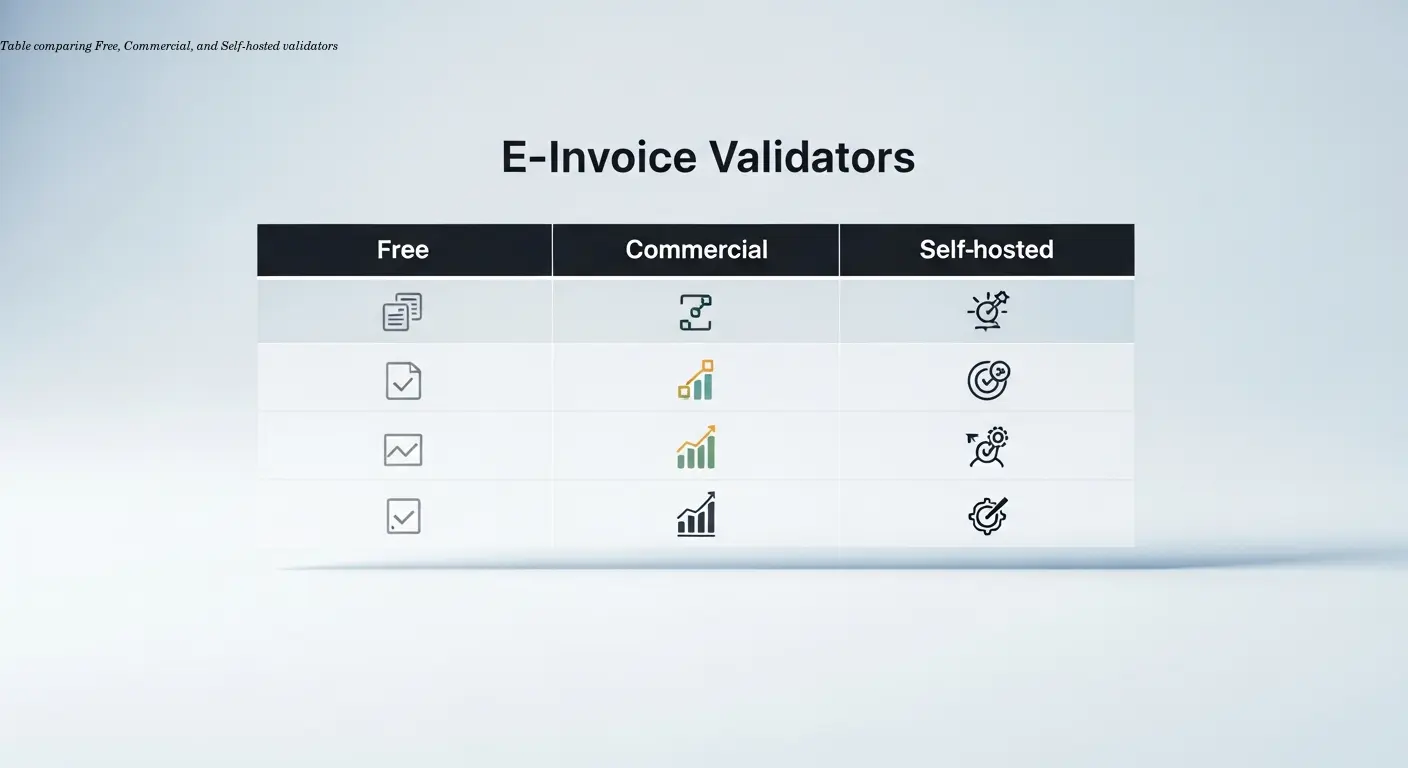
Compliance teams have several options when choosing an e-invoice validator, ranging from free web tools to commercial services and self-hosted software. Each has trade-offs in terms of cost, features, data privacy, and integration capability.
Free web validators
Free web validators are great for spot-checking and learning. The European Commission offers the eInvoicing Conformance Center, which validates UBL and CII invoices against EN 16931 core rules. Germany's KoSIT provides an open-source XRechnung validator that you can use online or download and run locally. The Peppol authority offers validation tools for Peppol BIS formats. These free tools are perfect when you're designing an invoice format, testing samples, or training staff. The downside is that free web services usually don't offer APIs, service-level agreements, or support for large batch validation, and you're uploading potentially sensitive invoice data to a third-party site.
Commercial validation services
Commercial validation services add reliability, integration, and advanced features. Companies like Ecosio, GEFEG, and others offer validator services with REST APIs, webhooks, batch processing, detailed reporting, and guaranteed uptime. You pay for convenience, support, and the ability to integrate validation directly into your ERP or billing workflow without building infrastructure. Commercial validators often support multiple profiles (XRechnung, Peppol, national formats) and update their rule sets automatically when standards change, which saves your team the effort of tracking regulatory updates.
Self-hosted open-source validators
Self-hosted open-source validators give you full control and data privacy. Tools like the KoSIT validator (for XRechnung) and the official Peppol validation engine are available as open-source software that you can run on your own servers. This approach makes sense if you have strict data residency requirements or process large volumes of invoices and want to avoid per-invoice service fees. The trade-off is that you need technical staff to install, configure, maintain, and update the software, and you're responsible for tracking changes to validation rules and Schematron files.
There's also the option to build your own validator if you have specific requirements that existing tools don't meet. The EN 16931 specification and national CIUS documents are publicly available, and Schematron is an open standard. You'd implement the XML schema validation (using standard libraries in Java, .NET, Python, or other languages), then apply Schematron rules using a Schematron processor. This is a significant development effort but gives you complete flexibility. I've seen this approach taken by large enterprises and software vendors who need to embed validation into their products.
For most compliance teams, I'd recommend starting with a free or commercial service to understand your validation needs, then moving to a self-hosted or custom solution if your volume, integration requirements, or data policies justify the investment. What you don't want is to skip validation entirely—the cost of rejected invoices, payment delays, and manual corrections far exceeds the cost of a good validator.
Practical Tips for Compliance Teams Managing E-Invoice Validation

After working with dozens of compliance teams on e-invoicing projects, I've collected some practical tips that help validation run smoothly and actually improve your invoice quality over time.
- Start with profile identification. Ensure your invoicing software includes correct
CustomizationIDandProfileIDvalues (in UBL) or guideline identifiers (in CII). These codes tell validators and receivers which rules to apply. Example values: XRechnung usesurn:cen.eu:en16931:2017#compliant#urn:xoev-de:kosit:standard:xrechnung_2.3, Peppol BIS Billing 3.0 usesurn:cen.eu:en16931:2017#compliant#urn:fdc:peppol.eu:2017:poacc:billing:3.0. - Test with real examples, not just templates. Use production-like invoices including credit notes, multiple VAT rates, foreign currency, and line-level discounts to uncover real-world issues.
- Build a library of test invoices. Maintain a suite of valid, invalid, and edge-case files and run it whenever you change invoicing code or validation rules.
- Document common validation errors and fixes. Keep plain-language guidance for recurring errors so finance users can resolve issues without IT intervention.
- Monitor validation failure trends. Track pass rates and error codes to identify software bugs, training needs, or rule misunderstandings.
- Plan for rule updates. EN 16931 is stable, but national CIUS (e.g., XRechnung) change regularly. Subscribe to updates or use a commercial validator that updates automatically.
Why Modern Invoice Creation Tools Include Built-in Validation

The best approach to validation is actually to prevent errors from happening in the first place, which is why modern e-invoicing tools increasingly include built-in e-invoice validator functionality. Instead of creating an invoice and then validating it as a separate step, these tools guide users through a compliant invoice creation process and validate in real-time.
When you use a purpose-built tool for creating EN 16931-compliant invoices, validation happens at multiple points. Field-level validation checks data as you enter it—for example, if you select VAT category "E" (exempt), the tool automatically requires you to provide an exemption reason and sets the tax amount to zero. Template-level validation ensures that mandatory fields are present and properly structured based on the profile you've selected (XRechnung, Peppol, plain EN 16931, etc.). And final validation runs a complete en16931 checker on the generated XML before you download or send it.
This integrated approach has huge advantages for compliance teams. Users don't need to understand XML structure or memorize business rules—the tool enforces them through the interface. Error messages appear in context (next to the relevant form field) rather than as cryptic XML path references, making them much easier to understand and fix. And because validation is continuous, you never finish creating an invoice only to discover it's invalid and have to start over.
From a technical standpoint, tools that generate invoices can apply stricter validation than tools that only check existing files. Since they control the XML generation, they can guarantee schema compliance and structural correctness, focusing their validation on business rules and calculations. They can also offer format-specific guidance—for example, showing different field labels and requirements when you switch from XRechnung mode to Peppol mode.
I've seen compliance teams reduce their validation failure rate from 15-20% down to under 2% just by switching from a generic invoicing system plus separate validation to an integrated tool that validates as you go. The time saved on error correction and resubmission often pays for the cost of the tool within the first few months.
If your organization creates electronic invoices regularly, it's worth considering tools specifically designed for EN 16931 compliance rather than trying to bolt validation onto a generic invoicing or ERP system. Purpose-built tools stay current with specification changes, support multiple output formats (UBL, CII, ZUGFeRD PDF), and handle the technical complexity so your finance team can focus on their actual work. For teams looking to create compliant e-invoices with built-in validation, platforms like e-rechn.de offer exactly this kind of integrated approach—you create the invoice through a guided interface, validation happens automatically, and you get a guaranteed-compliant XML or PDF output ready to send.
Frequently Asked Questions

What's the difference between an e-invoice validator and a viewer?
An e-invoice validator checks that your XML invoice file meets EN 16931 rules and structure, reporting errors and warnings. A viewer or visualizer takes a valid XML invoice and displays it in human-readable format (like a PDF or web page), making it easier to review the content. Many tools offer both functions—validate the XML to confirm compliance, then view it to check the business content looks correct.
Can I validate ZUGFeRD PDF invoices?
Yes, but the validator actually checks the embedded XML component, not the PDF itself. ZUGFeRD is a hybrid format where a standard PDF contains a human-readable invoice and has an XML file (CII format) attached. An e-invoice validator for ZUGFeRD extracts the XML attachment and validates it against EN 16931 and CII rules. Some advanced validators also compare the PDF content to the XML to confirm they match, though this isn't required by the standard.
Do I need different validators for XRechnung and Peppol?
Not necessarily. Many validators support multiple profiles and will apply the correct rules based on the profile identifier in your invoice XML. That said, some validators specialize in specific formats—the official KoSIT validator is optimized for XRechnung, while Peppol's own tools focus on Peppol BIS. If you send invoices in multiple formats, look for a validator that explicitly supports all the profiles you use, or use the official validator for each format to be certain.
How often do validation rules change?
EN 16931 itself is relatively stable, but national CIUS specifications change more frequently. XRechnung typically releases new versions twice per year (usually in spring and fall), and Peppol updates its specifications on a regular schedule. Major regulatory changes like the EU's ViDA (VAT in the Digital Age) initiative will introduce new requirements starting in 2025-2028. Your validation process should be able to handle rule updates without major disruption—commercial services usually update automatically, while self-hosted validators require you to download new Schematron files and schemas.
Is there a free e-invoice validator that supports all EN 16931 formats?
The European Commission's eInvoicing Conformance Center offers free validation for UBL and CII against EN 16931 core rules. For specific national formats, Germany's KoSIT validator (free and open-source) covers XRechnung, and Peppol provides free validation for Peppol BIS formats. No single free tool covers absolutely every variant, but between these official validators you can check most common formats. For commercial use with API access and SLA guarantees, you'll typically need a paid service.
Can validation catch all invoice errors?
Structural, semantic, and calculation validation catch a huge percentage of errors, but validators can't verify everything. They can confirm that a VAT number is formatted correctly, but they can't check whether it's actually registered (you'd need a separate VIES lookup for that). They can verify that amounts add up mathematically, but they can't confirm that the prices or quantities are correct for your business agreement. Validation confirms EN 16931 compliance and data consistency; human review or business-specific checks are still needed for commercial accuracy.
What file formats can an EN16931 checker validate?
EN 16931 specifies two approved XML syntaxes: UBL 2.1 and UN/CEFACT CII D16B. National and sector-specific profiles use these syntaxes with additional rules. So an en16931 checker validates XML files—either pure XML (UBL or CII) or XML embedded in PDF (ZUGFeRD/Factur-X). Other formats like CSV, JSON, or proprietary EDI formats can't be directly validated against EN 16931 unless they're first converted to UBL or CII XML.
Should validation happen before or after converting to PDF?
If you're creating ZUGFeRD hybrid invoices (PDF with embedded XML), validate the XML component before you embed it in the PDF. It's much easier to fix errors in the XML source than to extract the XML from a PDF, correct it, and re-embed. Most ZUGFeRD creation tools validate the XML automatically before generating the final PDF. For pure XML invoices (UBL or CII without PDF), validation obviously happens on the XML file itself.
How do I know which validation profile to use for a specific customer?
Ask your customer or check their invoicing requirements documentation. Public sector organizations usually specify the exact profile they require (e.g., XRechnung for German government, Peppol BIS for many other European governments). For B2B customers, it depends on their systems—many use Peppol, some accept generic EN 16931, and some have their own CIUS. When in doubt, EN 16931 core compliance (without CIUS extensions) is the safest baseline, but you may need additional mandatory fields for specific customer systems.
Can I validate an invoice offline, without internet access?
Yes, if you use a self-hosted or locally installed validator. The KoSIT XRechnung validator, for example, can be downloaded and run as a Java application on your own computer or server without any internet connection. Cloud-based validation services and web validators require internet access since they run on remote servers. For organizations with strict data security requirements or unreliable connectivity, offline validation is an important capability to have.
Related articles
EU e-invoicing Practical Guide for Compliance Officers
Practical EU e-invoicing guide for compliance officers: learn EN16931, national variations, risk mitigation, and implementation steps with AI automation insight.
About the author

Alexander Lutsyuk · Founder & Operator
Alexander Lutsyuk is the founder of Algoran and runs E-Rechn.de. He has worked for years in automation, digital content and SEO, currently as an on-page SEO adviser at SEO-Küche Internet Marketing GmbH & Co. KG. With E-Rechn.de he combines hands-on automation expertise with the practical demands of the EU e-invoicing mandate: XRechnung, ZUGFeRD, Factur-X and EN 16931. He holds an M.Sc. from Humboldt University of Berlin and is a BVDW-certified specialist.
Education: Humboldt-Universität zu Berlin
BVDW-certified specialist